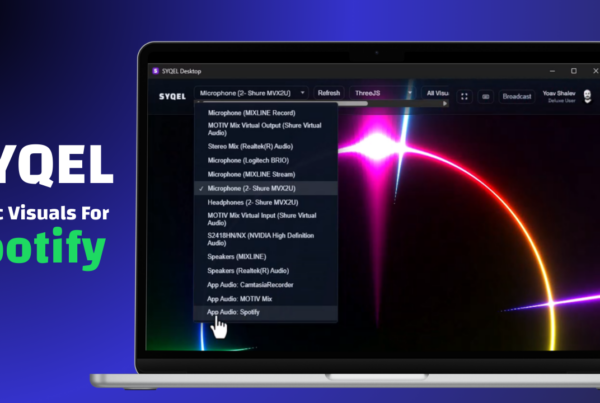
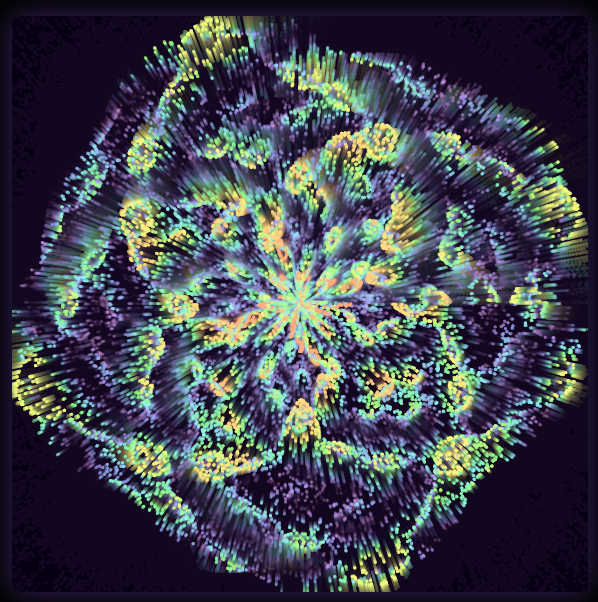
We’re excited to announce a major upgrade to SYQEL Desktop, bringing powerful new tools for creators, performers, and visual artists.
This update expands what SYQEL can do both on stage and in the studio, with new platform support, AI-powered visuals, and deeper customization.
TL;DR
- Mac version
- Offline mode
- Import visuals (Milkdrop & ThreeJS)
- AI-generated visuals (ThreeJS & Image)
- Spout & Mac Screen Casting
- MIDI support
- Custom keyboard shortcuts
Now let’s dive in.
Mac Version Is Here 🍎
One of the most requested features is finally here.
SYQEL Desktop now runs natively on macOS.
Mac users can now build visual experiences, run live visuals, and integrate SYQEL into their creative workflow without running SYQEL in the browser.
This opens the door for:
- VJs performing on Mac
- Creative studios using Mac pipelines
- Live performers using Mac-based setups
Work Without Internet: Offline Mode
SYQEL Desktop now includes a full offline mode.
This means you can:
- Run visuals without an internet connection
- Perform at venues with unreliable connectivity
- Customize and test visuals anywhere
Once installed, SYQEL keeps working wherever you go.
Perfect for live shows, installations, and travel setups.
Import Your Own Visual Engines
(Milkdrop + ThreeJS)
This update dramatically expands customization.
You can now import external visuals, including:
Milkdrop
Bring the legendary Winamp visualizer ecosystem into SYQEL.
- Thousands of community presets
- Classic audio-reactive visuals
- Endless remix potential
ThreeJS
Developers can now create fully custom 3D visuals using the powerful ThreeJS framework.
This unlocks:
- Advanced shaders
- Interactive scenes
- WebGL-powered visual worlds
In other words: SYQEL just became a visual development platform.
AI-Generated Visuals 🤖
This update introduces AI-generated visuals directly inside SYQEL.
You can now generate visuals dynamically using prompts and AI tools, enabling:
- Rapid visual prototyping
- Unique stage visuals
- Endless visual variation
Instead of manually designing every scene, AI can help generate new visual styles in seconds.
Spout + Mac Screen Casting
SYQEL now integrates more deeply with professional visual pipelines.
Spout (Windows)
Send SYQEL visuals directly into other applications like:
- Resolume
- TouchDesigner
- OBS
All in real time.
Mac Screen Casting
Mac users can now easily send SYQEL visuals to:
- Projectors
- Broadcast software
- External displays
This makes SYQEL far more flexible for live events and streaming.
MIDI Support 🎹
SYQEL now supports MIDI controllers, giving you hands-on control of visuals.
Trigger visuals and effects using:
- Launchpads
- MIDI keyboards
- DJ controllers
- Custom hardware setups
This is perfect for live VJing and performances.
Custom Keyboard Shortcuts
Power users now get fully customizable keyboard shortcuts.
Map your favorite actions to keys for faster control.
Examples:
- Switch visual scenes instantly
- Trigger visual effects
- Start or stop visual engines
Everything becomes faster and more performance-ready.
A Huge Step Forward for SYQEL
This update transforms SYQEL Desktop into a much more powerful creative platform.
With:
- Mac support
- Offline mode
- Custom visual engines
- AI-generated visuals
- Professional streaming integrations
- MIDI and shortcut control
SYQEL is now more flexible than ever.
If you’re already using SYQEL, update your desktop app today and explore the new features.
And if you haven’t tried SYQEL Desktop yet…
Now is the perfect time.